
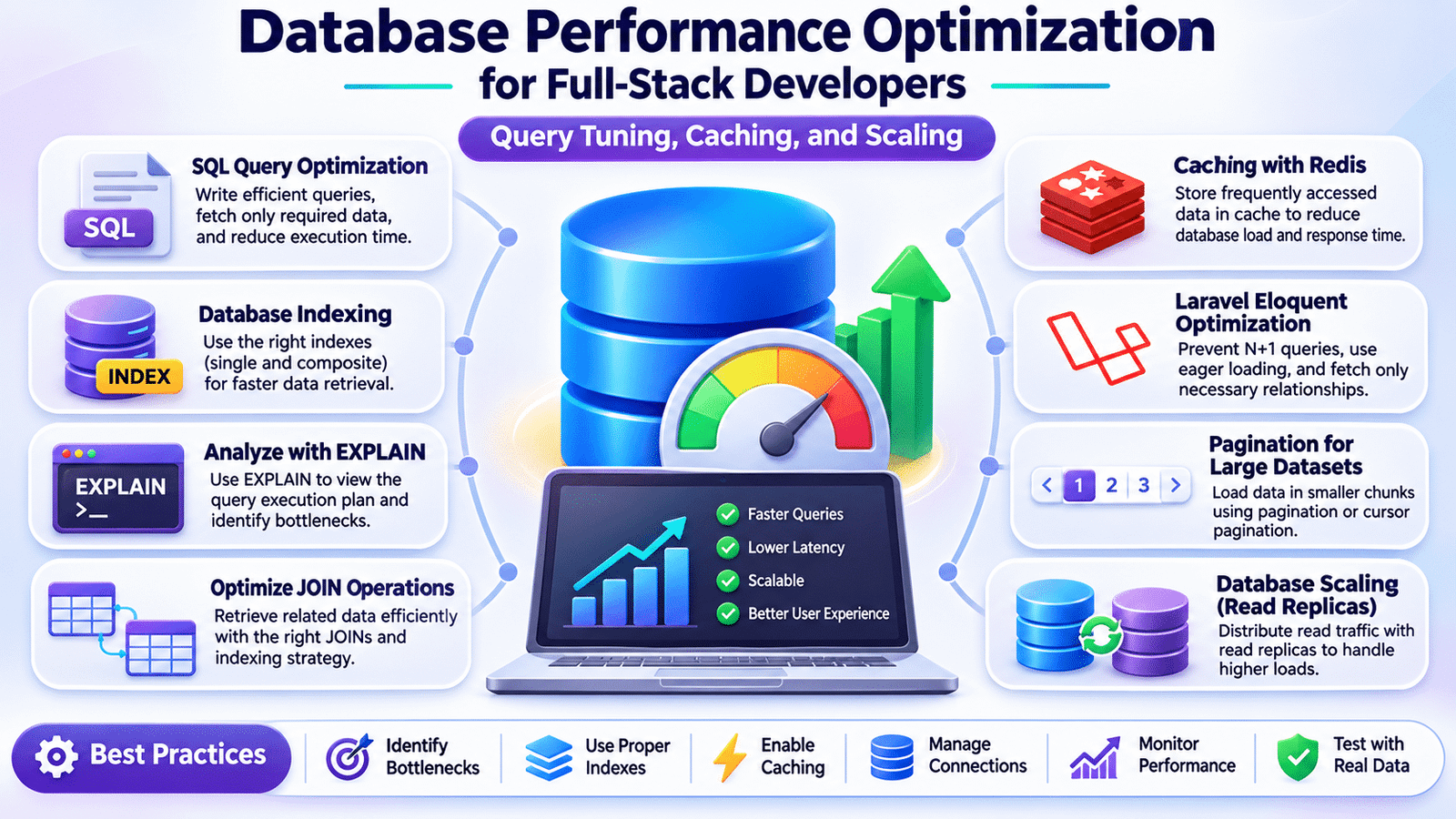
Database performance optimization is essential for building fast, reliable, and scalable full-stack applications. It helps developers improve SQL queries, optimize database indexing, reduce unnecessary database requests, and manage increasing application workloads efficiently.
Consider an e-commerce platform that initially manages a few hundred products and customer orders. As the business grows, the database may contain millions of records. Product searches become slower, dashboards take longer to load, and API requests begin experiencing delays.
These problems can affect the entire application, even when the frontend and backend code appear to be functioning correctly.
In many cases, the underlying issue is how the application retrieves, stores, and processes database information.
Database performance optimization is the process of improving database operations so applications can retrieve and update information efficiently while handling increasing workloads.
For full-stack developers, this involves understanding SQL queries, indexing, database execution plans, caching, connection management, and application-level data access patterns.
This article explores practical database optimization techniques using MySQL, Laravel, and Redis, with examples based on real application development scenarios.
1. Understanding Database Performance Optimization in Modern Applications
Database performance directly affects how quickly an application responds to user requests.
Consider a dashboard that displays customer information, order counts, revenue, and product availability. When a user opens the dashboard, the backend may execute several database queries to collect the required information.
If those queries are inefficient, the dashboard may take several seconds to load.
Database performance optimization focuses on identifying these bottlenecks and improving the way information is accessed.
Common performance problems include:
- Queries scanning unnecessarily large numbers of records.
- Missing or poorly designed indexes.
- Repeated database requests.
- N+1 query problems in ORM-based applications.
- Retrieving unnecessary columns.
- Loading large datasets without pagination.
- Inefficient joins and filtering conditions.
- Excessive database connections.
- Poorly managed caching strategies.
The objective is not simply to make individual SQL queries faster. Developers should examine the complete database interaction within the application.
2. Identifying Database Performance Bottlenecks
Before changing database structures or rewriting queries, developers should identify where the actual performance problem exists.
For example, a product listing API may respond slowly because of several different reasons:
- The SQL query takes too long.
- The query retrieves too many records.
- Related data is loaded through repeated queries.
- The database server is under heavy load.
- The application opens too many connections.
- The API performs unnecessary data transformations.
Measuring the application’s behavior helps identify the source of the problem.
Important metrics include:
Query Execution Time: How long the database takes to execute a query.
Query Frequency: How often the application executes the same query.
Rows Examined: How many records the database evaluates while processing a query.
Connection Usage: How many database connections are active.
Slow Query Count: How many queries exceed the configured execution-time threshold.
For MySQL applications, the slow query log can help identify queries that require further investigation.
Developers should establish a performance baseline before implementing optimization changes so they can compare results accurately.
3. Understanding SQL Query Optimization
SQL query optimization involves writing database queries that retrieve the required information without unnecessary processing.
Consider a product management application containing thousands of products.
A query that retrieves every column may look like this:
SELECT *
FROM products
WHERE category_id = 10;
However, if the frontend only displays the product name and price, retrieving every column is unnecessary.
A more focused query is:
SELECT id, name, price
FROM products
WHERE category_id = 10;
This reduces the amount of data transferred between the database and application.
Other practical query optimization techniques include:
- Retrieve only the columns required by the application.
- Apply filtering conditions in the database.
- Avoid unnecessary nested queries.
- Use appropriate JOIN operations.
- Avoid repeatedly executing identical queries.
- Apply pagination to large datasets.
- Review sorting and filtering requirements.
Developers should also consider the application’s actual access patterns instead of optimizing queries in isolation.
4. Using EXPLAIN to Analyze SQL Queries
One of the most useful techniques for investigating slow SQL queries is examining the database execution plan.
MySQL provides the EXPLAIN statement to show how a query is expected to execute.
For example:
EXPLAIN
SELECT id, name, price
FROM products
WHERE category_id = 10;
The execution plan provides information about how MySQL accesses tables, which indexes may be used, and how many rows may need to be examined.
Important fields include:
- type: Indicates the table access method.
- possible_keys: Lists indexes that may be applicable.
- key: Shows the index selected by the optimizer.
- rows: Estimates the number of rows examined.
- Extra: Provides additional execution details.
An execution plan can reveal situations where a query performs a full table scan or does not use an expected index.
MySQL also supports EXPLAIN ANALYZE in supported versions, which executes the query and provides actual execution information.
Developers should compare execution plans before and after making optimization changes.
5. Improving Query Performance with Database Indexing
Indexes help databases locate records efficiently without examining every row in a table.
Consider an application that frequently retrieves orders belonging to a particular user.
SELECT id, total, status
FROM orders
WHERE user_id = 25;
If the orders table contains millions of records, an index on user_id may significantly improve lookup performance.
An index can be created using:
CREATE INDEX idx_orders_user_id
ON orders(user_id);
Composite Indexes
Some application queries filter records using multiple conditions.
For example:
SELECT id, total, status
FROM orders
WHERE user_id = 25
AND status = 'completed';
A composite index may help:
CREATE INDEX idx_orders_user_status
ON orders(user_id, status);
The order of columns in a composite index matters. Developers should consider the leftmost-prefix behavior and the queries the application actually executes.
Avoiding Excessive Indexes
Although indexes improve many read operations, they also introduce overhead.
Every index requires additional storage and may increase the cost of inserting, updating, and deleting records.
For example, adding indexes to every column in a product table can make write operations unnecessarily expensive.
A good indexing strategy is based on frequently executed queries, filtering conditions, joins, sorting requirements, and measured execution plans.
6. Optimizing SQL JOIN Operations
Applications frequently retrieve information from multiple related tables.
Consider an order management dashboard that displays order details along with customer names.
A query can retrieve the required information using a JOIN:
SELECT
    orders.id,
    orders.total,
    orders.status,
    users.name
FROM orders
INNER JOIN users
    ON orders.user_id = users.id;
JOIN operations allow the database to retrieve related information without requiring the application to execute a separate query for every order.
Common JOIN types include:
- INNER JOIN
- LEFT JOIN
- RIGHT JOIN
- CROSS JOIN
Developers should select the appropriate JOIN based on the required results.
Performance considerations include:
- Indexing columns used in JOIN conditions where appropriate.
- Avoiding unnecessary joins.
- Selecting only required columns.
- Filtering records as early as possible.
- Reviewing the execution plan.
A poorly designed query can still perform slowly even when indexes exist. The query structure and data distribution both influence execution.
7. Preventing N+1 Query Problems in Laravel
The N+1 query problem is a common performance issue in applications using Object-Relational Mapping systems.
Consider a Laravel application that retrieves all orders:
$orders = Order::all();

foreach ($orders as $order) {
    echo $order->user->name;
}
The application initially retrieves the orders. When the user relationship is accessed inside the loop, additional queries may be executed for individual orders.
For example, retrieving 100 orders may result in one query for orders and many additional queries for their users.
Laravel provides eager loading to reduce this problem:
$orders = Order::with('user')->get();The application can retrieve the orders and their related users using a more efficient query strategy.
For multiple relationships:
$orders = Order::with([
    'user',
    'items.product'
])->get();
This is particularly useful in dashboards, reports, and API endpoints that display related information.
However, developers should avoid loading unnecessary relationships. Eager loading everything can also increase memory usage and query complexity.
8. Using Redis for Database Caching
Some application data is requested repeatedly but does not change frequently.
For example, product categories, configuration settings, and public website information may be accessed by thousands of users.
Executing the same database query for every request can create unnecessary database load.
Caching allows applications to temporarily store frequently accessed information and reuse it when appropriate.
Redis is commonly used as a caching backend in Laravel applications.
A simplified workflow looks like this:
       User Request
            |
            v
      Laravel Backend
            |
            v
       Check Redis
         /     \
      Found   Not Found
        |        |
        v        v
     Return   Query MySQL
     Cached       |
     Data         v
               Store in
                Redis
                  |
                  v
               Return Data
A Laravel example:
use Illuminate\Support\Facades\Cache;
use App\Models\Category;

$categories = Cache::remember(
    'categories',
    3600,
    function () {
        return Category::all();
    }
);
The application retrieves the categories from the cache when available. Otherwise, it queries the database and stores the result for future requests.
Cache Invalidation
Caching introduces an important challenge: keeping cached information consistent with database updates.
For example, if an administrator adds a new category, the old cached category list may no longer be correct.
The application should invalidate or refresh the relevant cache when the underlying data changes.
Developers should also consider cache expiration, key naming, memory usage, and the risk of cache stampedes.
Caching should be applied to suitable workloads rather than used as a replacement for fixing inefficient SQL queries.
9. Optimizing Database Pagination for Large Datasets
Applications often display large datasets through tables and dashboards.
Loading every record at once can increase database workload, backend memory consumption, and frontend rendering time.
Pagination allows applications to retrieve manageable groups of records.
For example, a Laravel API can return 20 products per page:
$products = Product::query()
    ->select(['id', 'name', 'price'])
    ->orderBy('id')
    ->paginate(20);
The frontend receives a limited set of records along with pagination information.
For very large datasets, cursor pagination may be more suitable than traditional offset pagination.
Laravel supports cursor pagination:
$products = Product::orderBy('id')
    ->cursorPaginate(20);
Cursor pagination can be more efficient for certain large or frequently changing datasets because it uses a position-based approach rather than relying on increasingly large offsets.
The correct pagination strategy depends on the application’s sorting requirements, filtering behavior, and user experience.
10. Managing Database Connections Efficiently
Database connections consume server resources.
When an application receives many simultaneous requests, inefficient connection management can contribute to connection exhaustion and increased latency.
Developers should consider:
- Configuring appropriate connection limits.
- Reusing connections where supported.
- Monitoring active database connections.
- Avoiding unnecessary database operations.
- Configuring timeouts appropriately.
- Reviewing connection pooling where supported by the infrastructure.
Connection pooling allows applications or infrastructure components to reuse existing database connections instead of repeatedly establishing new ones.
This can be useful in applications with high request volumes.
However, connection pooling must be configured according to the database server’s capacity and the application’s deployment architecture.
Increasing the number of connections without considering available database resources can make performance worse rather than better.
11. Using Read Replicas for Database Scaling
As applications grow, a single database server may experience increasing read traffic.
For example, an e-commerce platform may execute thousands of product searches, order history requests, and dashboard queries while also processing customer transactions.
One scaling approach is to introduce read replicas.
A read replica maintains a copy of data from the primary database and can serve suitable read operations.
A simplified architecture looks like this:
             Laravel Application
                     |
              Database Layer
                     |
              +------+------+
              |             |
              v             v
         Primary DB     Read Replica
              |             |
              v             v
          Write Data    Read Queries
The primary database handles write operations, while read replicas can serve selected read workloads.
Laravel supports read and write database connections through its database configuration.
However, developers must account for replication lag.
A recently updated record may not immediately appear on a replica. Applications requiring immediate read-after-write consistency may need to read from the primary database for specific operations.
Read replicas improve read capacity but do not automatically solve every database bottleneck.
12. Optimizing Laravel Eloquent Queries in Production
Laravel Eloquent makes database operations easier to maintain, but developers still need to understand the SQL generated by their application.
Consider an API that returns a list of products.
An inefficient implementation might retrieve every product and then perform additional processing in PHP.
A more focused implementation could be:
public function index()
{
    return Product::query()
        ->select([
            'id',
            'category_id',
            'name',
            'price'
        ])
        ->with('category:id,name')
        ->where('status', 'active')
        ->orderBy('name')
        ->paginate(20);
}
This implementation:
- Selects only required columns.
- Loads the category relationship efficiently.
- Filters inactive products at the database level.
- Orders the result.
- Limits the response through pagination.
Developers should also inspect query logs and generated SQL when investigating unexpected performance issues.
Laravel tools such as database query listeners and debugging utilities can help identify frequently executed or expensive queries.
The important principle is to optimize the complete data access pattern rather than focusing only on individual model methods.
13. Monitoring Database Performance in Production
Database optimization should continue after an application is deployed.
Production workloads change as user activity, data volume, and business requirements evolve.
Teams should monitor:
Slow Queries: Identify queries exceeding acceptable execution times.
Query Volume: Detect endpoints that execute excessive database requests.
Connection Usage: Monitor active and waiting connections.
CPU and Memory: Understand how database resource consumption changes.
Disk I/O: Identify storage-related bottlenecks.
Cache Hit Rate: Understand how effectively caching reduces repeated database access.
Replication Lag: Monitor delays between primary databases and replicas.
MySQL performance tools and database monitoring platforms can help teams identify bottlenecks.
Application-level monitoring is equally important because a slow API response may involve database access, backend processing, external services, or network delays.
14. Common Database Performance Problems and Their Solutions
Production applications commonly experience several recurring database problems.
Slow Search Operations
Problem: Search queries become slower as product or customer records increase.
Possible solution: Review filtering conditions, use appropriate indexes, inspect execution plans, and consider suitable search technologies for more complex requirements.
Excessive Database Queries
Problem: An API executes many queries to display a single page.
Possible solution: Use eager loading, combine related queries where appropriate, and remove unnecessary database operations.
Large API Responses
Problem: The backend retrieves thousands of records for a frontend table.
Possible solution: Implement pagination, filtering, and selective column retrieval.
Repeated Read Operations
Problem: The application repeatedly queries data that changes infrequently.
Possible solution: Introduce caching with an appropriate expiration and invalidation strategy.
Database Connection Exhaustion
Problem: The application cannot obtain additional database connections under high traffic.
Possible solution: Review connection management, request behavior, pooling configuration, and database capacity.
Slow Reporting Queries
Problem: Complex reports affect normal application operations.
Possible solution: Optimize joins, review indexing, use appropriate background processing, or consider reporting-specific data structures.
Each problem should be investigated using measurements rather than solved through assumptions.
15. Best Practices for Database Performance Optimization
Development teams should follow a structured approach when optimizing production databases:
- Measure query performance before making changes.
- Use EXPLAIN and EXPLAIN ANALYZE where supported.
- Create indexes based on actual query patterns.
- Avoid unnecessary SELECT * queries.
- Prevent N+1 query problems.
- Use pagination for large datasets.
- Cache frequently accessed data where appropriate.
- Invalidate cached data when business records change.
- Review connection management.
- Consider read replicas for suitable workloads.
- Monitor database resource utilization.
- Test performance with realistic data volumes.
- Review query performance after major application changes.
- Avoid premature optimization without evidence.
Database performance optimization should be treated as an ongoing engineering activity rather than a one-time development task.
16. Frequently Asked Questions
What is database performance optimization?
Database performance optimization is the process of improving database queries, indexes, caching, and resource usage so applications can retrieve and update data efficiently.
How can developers improve MySQL query performance?
Developers can inspect execution plans, create appropriate indexes, optimize joins, retrieve only necessary columns, and avoid unnecessary database requests.
What is the purpose of the EXPLAIN command?
EXPLAIN shows how a database plans to execute a query, including table access methods and potential index usage.
How does Redis improve database performance?
Redis can cache frequently accessed information so applications do not need to execute the same database queries repeatedly.
What is the N+1 query problem in Laravel?
The N+1 query problem occurs when an application retrieves a collection of records and then executes additional queries for related information on individual records.
What are read replicas?
Read replicas are database copies that can serve selected read operations, reducing the read workload on the primary database.
Does adding more indexes always improve performance?
No. Indexes improve certain read operations but consume storage and can increase the cost of insert, update, and delete operations.
When should developers optimize database performance?
Developers should investigate database performance when monitoring, testing, or production usage reveals slow queries, excessive resource consumption, or increasing response times.
Final Thoughts
Database performance plays an important role in building reliable and scalable full-stack applications.
For developers working with Laravel, MySQL, and Vue.js, understanding query optimization, indexing, caching, pagination, connection management, and database scaling helps address performance challenges as applications grow.
However, effective optimization does not begin by adding indexes or introducing caching everywhere. It begins by identifying the actual bottleneck, measuring its impact, and selecting the appropriate solution.
A well-optimized database allows applications to manage larger datasets, support increasing user activity, and deliver consistent performance without unnecessary infrastructure complexity.
https://www.enigmacommunity.com
Internal links
Database Design for Full-Stack Applications
Message Queues for Full-Stack Developers