
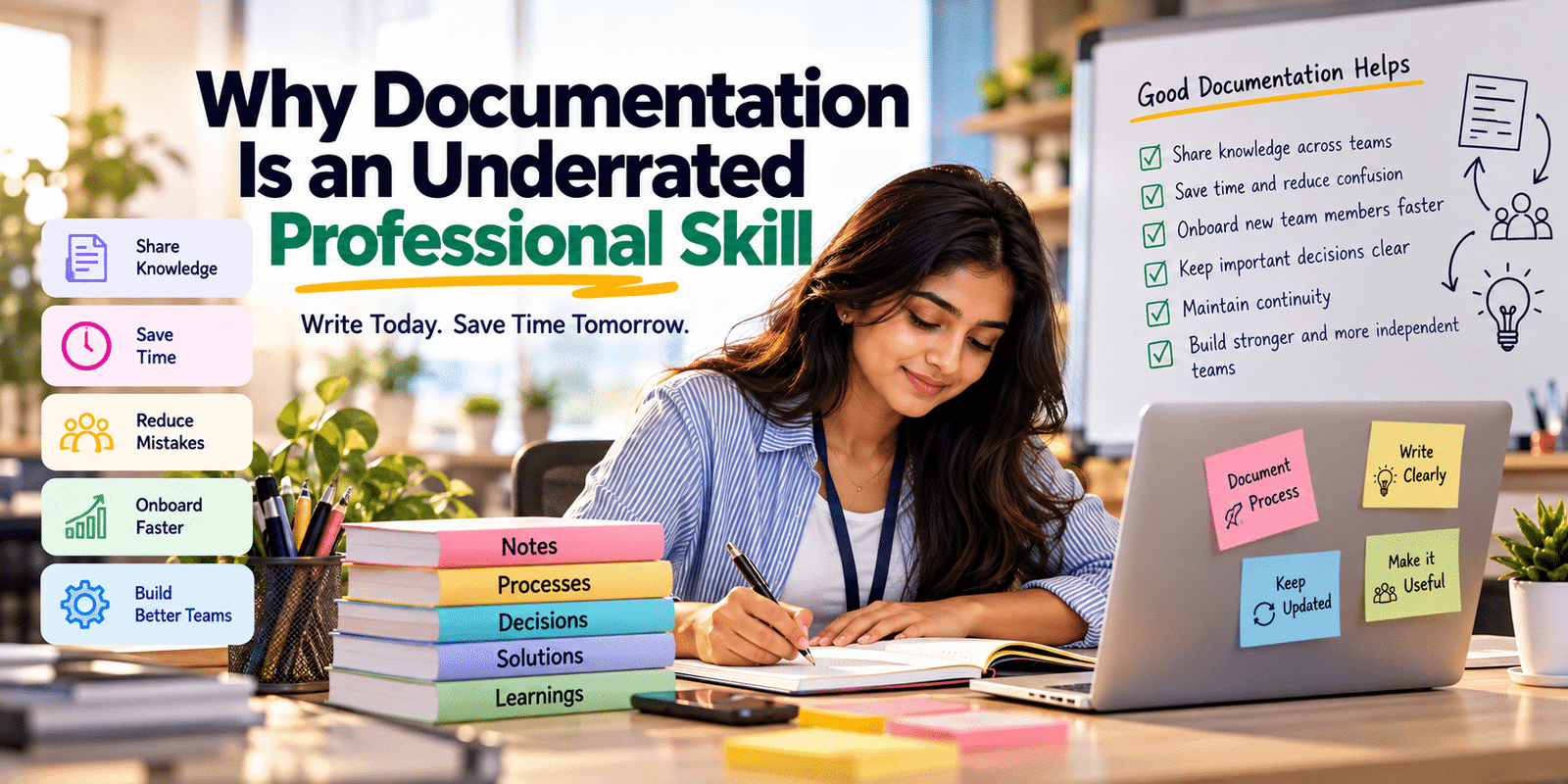
Documentation skills are important for professionals who want to communicate clearly, share knowledge, and make their work easier for others to understand. Whether someone is working on software development, marketing, business operations, or project management, documenting important information can save time and reduce confusion.
Many professionals spend hours solving problems but forget to record how they solved them. As a result, the same problem may appear again, and someone else may need to repeat the entire process.
Good documentation helps turn individual knowledge into useful information that a team can access, understand, and apply whenever needed.
Why Documentation Skills Matter at Work
Documentation is often treated as an additional task that can be completed later. However, it is an important part of professional work.
When employees document their processes, decisions, and solutions, they make information easier to find. Team members can understand what has already been done instead of starting from the beginning.
For example, imagine a developer who spends two hours fixing a deployment issue but does not record the solution. If the same issue appears next week, another developer may spend several hours investigating it again.
A short document explaining the error, its cause, and the solution could prevent that repeated effort.
Therefore, documentation skills help professionals save time, share knowledge, and work more efficiently.
What Does Professional Documentation Actually Mean?
Professional documentation means recording information in a clear, organized, and useful way so that other people can understand it later.
It does not mean writing lengthy reports for every activity. Instead, it involves identifying which information matters and presenting it in a format that people can easily follow.
Depending on the job, documentation may include:
- Project requirements and technical specifications
- Meeting notes and important decisions
- Step-by-step procedures
- Troubleshooting instructions
- Research findings and reports
- Project updates and progress records
- Frequently asked questions
- User guides and training materials
The purpose is simple: make important knowledge available when someone needs it.
Why Keeping Knowledge in Your Head Can Create Problems
Experienced professionals often remember how particular systems work, which decisions were made, and how common issues can be resolved. However, relying entirely on memory can create problems.
People forget details, change teams, take leave, or move to different responsibilities. When essential information exists only in someone’s memory, other team members may struggle to continue the work.
For instance, a project manager may know why a deadline changed or why a particular feature was postponed. If that decision was never recorded, a new team member might misunderstand the situation and repeat an earlier discussion.
Documenting important information reduces this dependency and helps maintain continuity.
How Documentation Helps Teams Save Time
Good documentation can reduce repeated questions and unnecessary discussions.
When instructions are clear, employees can check the available information before asking someone to explain the same process again. This allows experienced team members to spend more time on complex work.
Documentation also makes it easier to onboard new employees. Instead of learning everything through repeated one-to-one explanations, new team members can use guides, project notes, and examples to understand the workflow.
As a result, documentation supports both individual productivity and team efficiency.
Why Documentation Matters for Software Developers
Documentation is particularly useful in software development because applications often contain multiple components, dependencies, APIs, and business rules.
A developer may understand a feature perfectly while building it. However, another developer joining the project later may not understand why the feature works in a particular way.
Useful technical documentation can explain:
- How to set up the project locally
- How to configure environment variables
- How APIs and database relationships work
- How to run tests
- How to reproduce common errors
- Why important technical decisions were made
- How to deploy or maintain the application
For example, a README file that explains installation steps and required environment settings can help another developer start working on the project without unnecessary confusion.
Good documentation does not replace readable code. Instead, it helps people understand the context around that code.
How Freshers Can Benefit From Writing Things Down
Freshers often focus on completing assigned tasks as quickly as possible. While completing work is important, recording what they learn can also help them grow professionally.
Suppose a junior developer learns how to resolve a database connection issue. If they note the error message, the cause, and the steps used to fix it, they have created a useful reference for the future.
Similarly, a marketing fresher can document campaign results, while a business analyst can record requirements and decisions discussed during meetings.
These small habits help freshers become more independent. Over time, their notes can also become evidence of their learning and problem-solving experience.
Why Project Decisions Should Be Documented
Projects involve many decisions about requirements, deadlines, priorities, budgets, and technical approaches. Without a record, team members may remember the same discussion differently.
Documenting important decisions helps everyone understand what was agreed upon and why.
For example, a team might decide to postpone a feature because another requirement is more urgent. Recording the reason and the revised timeline can prevent confusion during future reviews.
Decision records are especially helpful when requirements change or new people join the project.
The goal is not to document every conversation. Instead, record decisions that could affect future work.
How Documentation Helps When Employees Leave a Team
Employees may leave an organization, move to another department, or become responsible for different projects. When their knowledge has not been documented, the remaining team may struggle to maintain continuity.
A well-maintained collection of process documents, project notes, and troubleshooting guides can make the transition easier.
For example, an employee responsible for a monthly reporting process can document the data sources, calculation steps, approval process, and delivery schedule. Another team member can then take over with fewer interruptions.
Documentation cannot capture every detail of someone’s experience, but it can preserve essential knowledge that would otherwise be difficult to recover.
The Difference Between Useful Documentation and Unnecessary Paperwork
Not every document is useful simply because it contains a lot of information.
Long explanations, outdated instructions, repeated details, and unnecessary technical language can make documentation difficult to use.
Useful documentation focuses on the reader’s needs.
Before writing, consider three questions:
- Who will use this information?
- What do they need to understand or complete?
- What information will help them take the next step?
For example, a quick troubleshooting guide may be more useful as a short numbered list than as a long report.
The best documentation is not necessarily the longest. It is the documentation that helps someone understand the information and use it correctly.
How to Write Documentation That People Actually Read
Writing useful documentation requires clarity and organization.
Start with a descriptive title so readers can immediately understand the topic. Then divide the content into meaningful sections with headings.
Use simple language and explain unfamiliar terms when necessary. When describing a process, arrange the steps in the order they should be followed.
Screenshots, examples, tables, and code snippets can also help readers understand complex information.
Finally, review the document from the reader’s perspective. Remove repeated explanations and make sure the instructions are complete enough to follow.
A document should help someone complete a task or understand a decision without requiring unnecessary clarification.
Common Documentation Mistakes Professionals Make
Even when professionals understand the importance of documentation, a few common mistakes can reduce its usefulness.
Writing Too Much Without a Clear Purpose
Adding every available detail can make it difficult for readers to identify the important information. Focus on what the intended reader actually needs.
Using Unclear Language
Instructions such as “configure the system correctly” are not helpful unless the reader understands what configuration is required. Provide specific steps wherever possible.
Forgetting to Update Documents
Outdated documentation can be worse than having no instructions because people may follow steps that no longer work. Update documents when processes or systems change.
Keeping Information in Too Many Places
When important information is scattered across chats, emails, spreadsheets, and separate files, people may struggle to find the correct version. Use agreed-upon locations and naming conventions.
Assuming Everyone Already Understands the Context
A document written only for the person who created it may not help a new team member. Include enough background information for the intended reader to understand the content.
How AI Can Help With Documentation
AI tools can help professionals organize notes, improve grammar, summarize discussions, and create initial drafts of documentation.
For example, a developer might use AI to turn rough setup notes into a clearer README draft. A project manager could use it to organize meeting notes into decisions, action items, and deadlines.
However, AI-generated documentation still requires human review.
The information must be accurate, relevant, and consistent with the actual project or process. Professionals should also avoid sharing confidential company information with tools that are not approved for that purpose.
AI can make documentation easier to prepare, but responsibility for accuracy remains with the person publishing it.
How to Improve Documentation Skills at Work
You do not need to create lengthy documents to develop strong documentation skills. Start by recording useful information as part of your normal workflow.
After solving a difficult problem, write down what caused it and how you fixed it. After a meeting, record the important decisions and action items. When learning a new process, create a short checklist that you can use again.
It is also useful to review existing documents periodically. Remove outdated information, correct unclear instructions, and add details when a process changes.
Most importantly, make documentation part of completing the task rather than something you always postpone until later.
A Simple Framework for Writing Useful Documentation
Use this simple framework whenever you need to document a task, process, or solution.
PURPOSE → CONTEXT → STEPS → RESULT → UPDATE
Purpose: Explain why the document exists and what it helps the reader achieve.
Context: Provide the background information needed to understand the situation.
Steps: Describe the process, solution, or actions in a clear order.
Result: Explain the expected outcome and how the reader can verify it.
Update: Review the document whenever the process, system, or requirements change.
This framework can be adapted for technical guides, project notes, meeting records, troubleshooting instructions, and workplace procedures.
What Professionals Can Start Doing Today
Improving documentation skills begins with small, consistent actions.
Start by choosing one task you regularly perform and recording the steps involved. If you solve a recurring problem, document the cause and solution. When you attend a meeting, write down important decisions instead of relying entirely on memory.
You can also review an existing document and ask whether someone unfamiliar with the task could follow it successfully.
Over time, these habits can improve communication, reduce repeated work, and make your knowledge more useful to others.
Final Thoughts: Make Your Knowledge Useful to Others
Professional success is not only about completing your own tasks. It is also about helping others understand your work, continue your progress, and avoid repeating unnecessary mistakes.
Documentation skills make this possible by turning individual experience into shared knowledge.
Whether you are a fresher, developer, manager, or experienced professional, start by documenting information that will genuinely help someone else.
Solve the problem, record the lesson, and make it easier for the next person.
Internal Links
Professionals can learn how practical projects connect knowledge with real-world experience through project-based learning.
Continuous learning also helps professionals develop their skills and improve their career prospects over time.
Outbound Link
For insights into changing workplace skills and the growing importance of technology and analytical thinking, explore the World Economic Forum’s Future of Jobs Report.
https://www.weforum.org/publications/the-future-of-jobs-report-2025
FAQ
What are documentation skills?
Documentation skills are the ability to record, organize, and explain information clearly so that other people can understand and use it.
Why Documentation Skills Matter at Work
They help teams share knowledge, reduce repeated work, maintain consistency, onboard employees, and understand important decisions.
How can freshers improve their documentation skills?
Freshers can start by recording project steps, documenting solutions to technical problems, maintaining learning notes, and writing clear instructions for tasks they complete.
Is documentation important for non-technical jobs?
Yes. Documentation is useful in marketing, sales, human resources, finance, operations, project management, and many other fields where information and decisions need to be shared.