
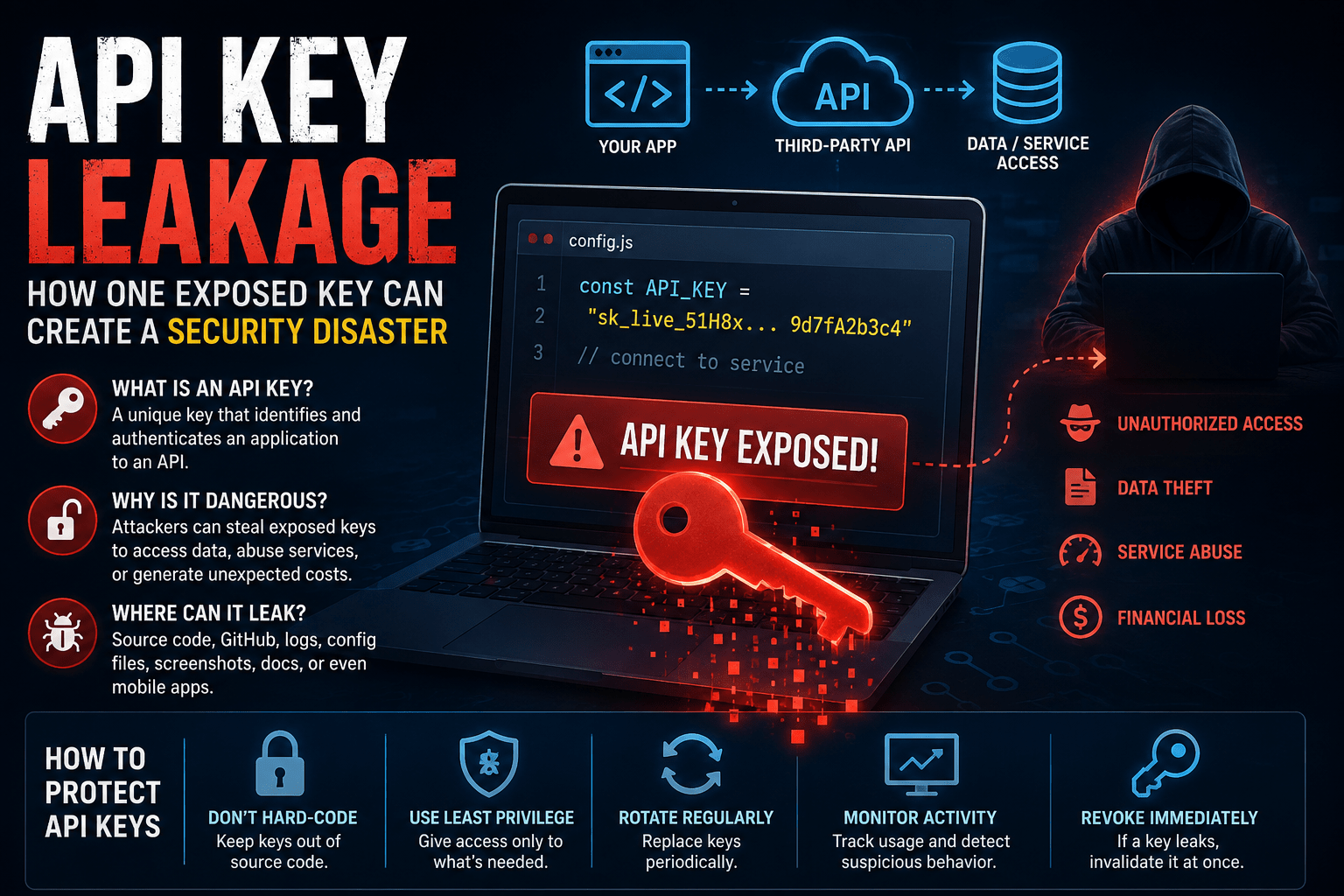
Modern applications use APIs to connect different services. For example, a mobile app may connect to a payment service through an API. Similarly, a website may use an external API to access maps, email, cloud storage, or AI services.
To control this access, many APIs use API keys.
An API key acts like a digital credential. However, attackers can misuse an exposed key. Therefore, developers must protect API keys just like passwords and other sensitive credentials.
What Is an API Key?
An API key is a unique value that an application sends to an API to identify or authenticate a request.
A simple process looks like this:
Application → API request + API key → API server → Access granted
The API checks the key before processing the request.
For example, a weather application may use an API key to request weather information. Likewise, a business application may use a key to connect with a payment or messaging service.
However, the level of access depends on the API provider and the permissions linked to the key.
How Does an API Key Get Leaked?
API keys can leak in several ways.
A developer might accidentally place a key inside source code. Later, that code could reach a public Git repository.
Similarly, developers may accidentally expose keys through:
- Configuration files
- Screenshots
- Public repositories
- Log files
- Error messages
- Documentation
- Shared files
- Public websites
- Mobile applications
For example, imagine a developer writes an API key directly inside a program.
API_KEY = "example-secret-key"
The developer then uploads the project to a public repository.
An attacker could find the key and attempt to use it.
Why Is API Key Leakage Dangerous?
The impact depends on the permissions attached to the key.
A stolen key might allow an attacker to access an API. In some cases, the attacker could also modify data or consume expensive services.
For example, an exposed cloud API key could lead to:
- Unauthorized resource access
- Data exposure
- Service abuse
- Unexpected charges
- Resource modification
- Account compromise
Therefore, developers should never assume that an API key has little value.
Where Do Developers Commonly Expose API Keys?
Git repositories remain a common source of accidental exposure.
However, developers can also leak keys through other channels.
For example, a developer might include a key in a screenshot while asking for help online. Likewise, a debugging log might accidentally record a secret.
Mobile applications also require special attention. Attackers can inspect application packages and search for embedded credentials.
As a result, developers should carefully consider where their applications store and use API keys.
API Keys vs Passwords
API keys and passwords both act as credentials, but they serve different purposes.
| API Key | Password |
|---|---|
| Usually identifies an application or API client | Usually authenticates a human user |
| Often connects software to an API | Usually provides account access |
| Can have specific permissions | Often connects to an account |
| Developers manage many API keys | Users usually manage passwords |
Despite these differences, both require strong protection.
How Can Developers Protect API Keys?
Fortunately, developers can follow several simple practices.
1. Never Hard-Code Secret Keys
Avoid placing sensitive API keys directly inside source code.
Instead, use an appropriate secrets-management approach for the application.
2. Keep Secrets Out of Public Repositories
Before publishing code, check for credentials.
Automated secret-scanning tools can also help detect accidentally exposed keys.
3. Use Least Privilege
Give each API key only the permissions it needs.
For example, a key that only reads product information should not have permission to delete customer records.
This approach limits the damage if someone steals the key.
4. Rotate API Keys
Regularly replace important credentials.
Furthermore, immediately replace a key if you suspect exposure.
The process should look like this:
Old key → New key → Old key disabled
5. Monitor API Activity
Keep an eye on API usage.
Unusual request volumes, unfamiliar locations, or unexpected services can indicate misuse.
Therefore, monitoring can help teams detect stolen keys sooner.
6. Separate Development and Production Keys
Do not use the same credential everywhere.
Instead, create separate keys for development, testing, and production.
This separation limits the impact of an accidental leak.
What Should You Do If an API Key Leaks?
Act quickly if you discover an exposed key.
Step 1: Revoke the Key
Disable the exposed credential immediately.
Step 2: Create a New Key
Generate a replacement credential with the required permissions.
Step 3: Check API Logs
Look for unusual activity while the old key remained active.
Step 4: Find the Source of the Leak
Determine how the key became exposed.
For example, it may have appeared in source code, a log file, or a public repository.
Step 5: Fix the Problem
Change the development process so the same mistake does not happen again.
Simply deleting the visible key does not make the old credential safe.
Can You Delete a Leaked Key From Git?
Not necessarily.
Suppose a developer commits an API key to a Git repository and later deletes it.
The key may still exist in the repository history. Copies may also exist in forks, clones, backups, or caches.
Therefore, deleting the key from the latest version does not solve the main problem.
Revoke the exposed key first.
Then create a new credential and investigate the exposure.
Why Least Privilege Matters
Consider two API keys.
Key A can only read product information.
Key B can read, modify, and delete database records.
If an attacker steals Key A, the potential damage may remain limited.
However, Key B could give the attacker much greater control.
For this reason, least privilege plays an important role in API security.
Give every key only the access it actually needs.
API Key Security Checklist
Developers can use this simple checklist:
- Never publish API keys.
- Avoid hard-coding secrets.
- Use secure secrets storage.
- Limit API permissions.
- Rotate important keys.
- Revoke leaked keys immediately.
- Scan repositories for secrets.
- Monitor API activity.
- Separate development and production credentials.
- Remove unused keys.
These steps can significantly reduce the risk of API key abuse.
Final Thoughts
API keys make it easier for applications to communicate with external services. However, an exposed key can also create a serious security problem.
Therefore, developers should treat API keys as sensitive credentials.
Use secure storage, limit permissions, monitor usage, and rotate keys regularly. Most importantly, revoke a key immediately when you suspect that someone has exposed it.
A small credential leak can create a large security problem. With proper API key management, organizations can reduce that risk and build safer applications.
Protect the key before attackers find it.