
When you log in to a website, you usually enter your username and password only once. After that, you can move between pages without logging in again.
So how does the website remember that you are already signed in?
A security token helps make this possible.
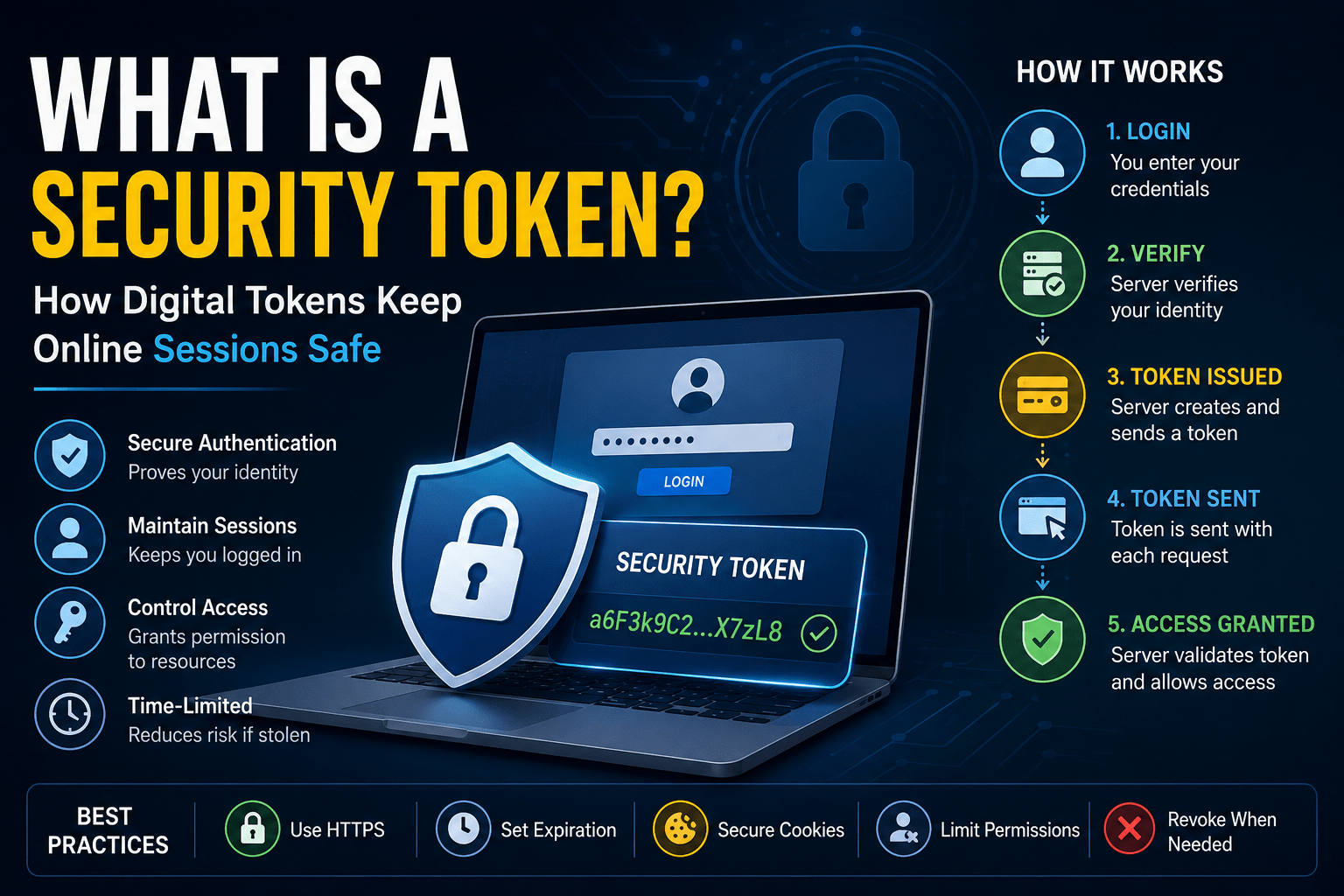
A security token is a digital value that helps an application recognize an authenticated user, session, device, or permission. Instead of sending your password with every request, the application can use the token to identify your active session.
How Does a Security Token Work?
The process is simple:
Login → Credentials verified → Token created → Token stored → Token sent with requests → Server checks token
First, you enter your login details. The server checks them and confirms your identity.
Next, the application creates a token. Your browser or app stores it and sends it when you request protected information.
The server checks the token before giving you access.
This process happens quickly in the background.
A Simple Example
Think of a security token like a temporary entry pass.
You show your ID at the entrance of a college library. The staff checks your identity and gives you a pass.
After that, you can move around the library without showing your ID every time.
Your login works like the identity check. The security token works like the temporary pass.
Common Types of Security Tokens
Different applications use different types of tokens.
Session Token
A session token helps a website remember your active login session.
Access Token
An access token gives an application permission to access a protected resource, such as an API.
Refresh Token
A refresh token helps an application obtain a new access token after the old one expires.
JWT
A JSON Web Token (JWT) carries information called claims between systems. Developers commonly use JWTs in APIs and authentication systems.
A JWT usually contains a header, payload, and signature.
What Happens If a Token Gets Stolen?
A stolen token can create a serious security problem.
If an attacker obtains a valid session token, the attacker may use it to access the user’s account without knowing the password.
This type of attack can lead to session hijacking.
That is why applications must protect tokens carefully.
How Developers Protect Security Tokens
Developers can reduce token risks by following several security practices:
- Use HTTPS to protect data in transit.
- Generate strong and unpredictable tokens.
- Give tokens suitable expiration times.
- Limit token permissions.
- Protect session cookies with settings such as
SecureandHttpOnly. - End sessions when users log out.
- Revoke tokens when suspicious activity occurs.
- Avoid putting unnecessary sensitive information inside tokens.
Short-lived tokens can also reduce the amount of time an attacker can use a stolen token.
Security Token vs Password
A password usually proves your identity during login.
A security token often helps maintain your authenticated session after login.
Think of it this way:
Password = Prove who you are
Token = Continue the authenticated session
Both need strong protection.
Why Security Tokens Matter
Security tokens work quietly behind many websites, mobile applications, and APIs.
They help applications maintain login sessions without asking users to enter their passwords repeatedly. They also help control access to protected resources.
However, a valid token can provide access to an authenticated session. Developers must therefore protect tokens from creation to expiration.
Final Thoughts
A security token is a digital value that helps an application recognize an authenticated session, user, device, or permission.
The basic process is:
Log in → Receive token → Send token → Server validates token → Access granted
Understanding security tokens is important for anyone learning web development, cybersecurity, backend development, or API security.
The key lesson is simple:
Protect your passwords, protect your tokens, and protect your sessions.