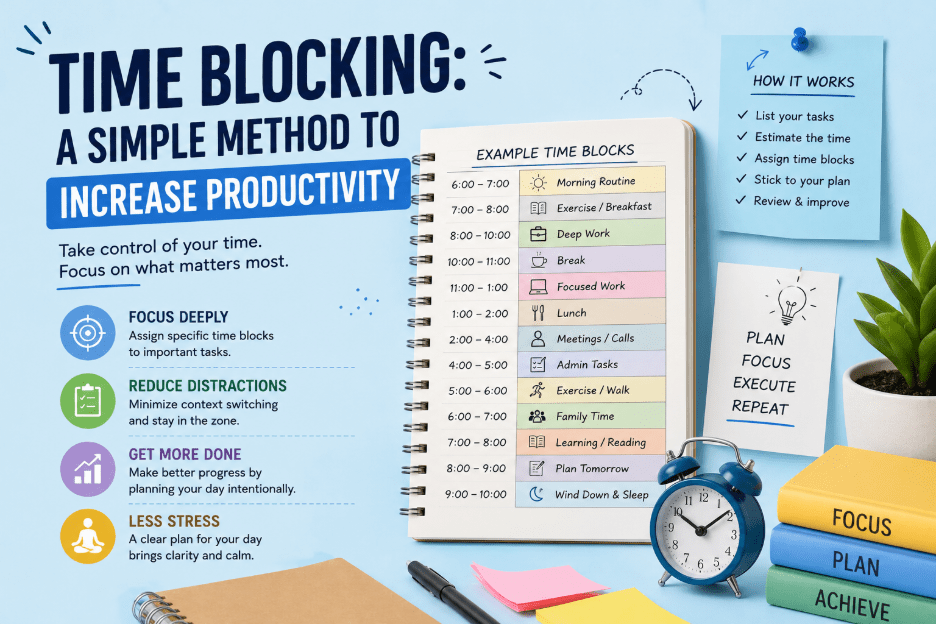
Time Blocking: A Simple Method to Increase Productivity
Ever ended a long workday wondering where the hours went? You’re not alone.
Most people don’t lose time to laziness. They lose it to interruptions, unclear priorities, and a to-do list that never seems to shrink.
Time blocking fixes this problem at the root. Instead of adding another list to manage, it changes how you use your calendar.
The core idea: If it’s on the calendar, it’s what you do during that hour. No guessing, no negotiating with yourself.
What Is Time Blocking?
Time blocking is a time management technique where you divide your day into blocks, and each block is assigned to one task or one type of task.
Instead of writing down what you need to do and hoping you get to it, you decide in advance exactly when you’ll do it.
A few examples:
60 minutes for writing a report
30 minutes for answering email
2 hours reserved for deep work on a project
The idea is simple, but it’s powerful: it turns your calendar into your to-do list.
Time Blocking vs. Time Boxing vs. Day Theming
These three terms get mixed up often. Here’s how they differ:
Method
What it means
Example
Time blocking
Setting aside a block of calendar time for a task
Working on a proposal, 9–11 a.m.
Time boxing
Setting a hard limit on how long you’ll spend, whether or not it’s finished
Stop when the timer runs out, done or not
Day theming
Assigning an entire day to one type of work
Mondays for marketing, Wednesdays for product
You don’t have to pick just one — many people combine all three depending on the week.
Why Time Blocking Works
Time blocking works because it directly addresses the two biggest enemies of productive work: distraction and context switching.
It protects deep work. When time is reserved on your calendar for one task, you’re far less likely to check email or open a browser tab out of habit. Your attention has somewhere to go.
It reduces decision fatigue. Deciding what to work on next is a small decision — but it adds up. Making that choice dozens of times a day drains mental energy you could spend on the work itself. Time blocking removes the decision because you made it in advance.
It makes priorities visible. A to-do list treats every task as equally important until you cross it off. A calendar forces you to be honest about how much time you actually have.
It supports realistic planning. Once you start blocking time, you learn how long things actually take — which improves how you plan future projects and set deadlines.
How to Start Time Blocking
You don’t need special software. A calendar app, a notebook, or a whiteboard will work.
List your tasks first. Write down everything you need to do and rank it by priority.
Estimate how long each task will take. Be honest, and add extra time — most people underestimate.
Identify your most productive hours. Put your hardest tasks in your best hours.
Create the blocks on your calendar. Give each task a start time and end time, just like a meeting.
Leave buffer time. Don’t schedule every minute back to back.
Protect the block. Treat it like a meeting with your manager — don’t let it get bumped.
Review and adjust weekly. Time blocking isn’t rigid. Adjust it as you learn your own habits.
Common Mistakes to Avoid
Mistake
Why it hurts
Overpacking the calendar
One delay throws off the entire day — leave room to breathe
Ignoring energy levels
Scheduling demanding work in low-energy hours sets you up to fail
Treating it as unbreakable
It’s a guide, not a prison sentence — some days need flexibility
Blocking too many small tasks
Batch similar small tasks (like replying to messages) instead of giving each its own block
Who Benefits Most from Time Blocking
Time blocking tends to work best for people with some control over their own schedule — writers, developers, marketers, consultants, students, and business owners.
People in highly reactive roles, where the day is driven by constant incoming requests, may need a looser version: block only a few protected hours and leave the rest open.
Tools That Can Help
You don’t need anything fancy:
Google Calendar
Outlook Calendar
Notion
Any basic time-tracking app
A paper planner (works just as well, if you actually use it)